I have an access token, but I don’t see my class’s lab available. How do I use the token?
I successfully ran a notebook earlier on the same data but now it is killing the kernel.
I receive a
Kernel not foundmessage when I open a notebook.My notebook is formatted incorrectly, missing widgets, or won’t let me add new cells.
The edits I made to an ASF notebook have disappeared since the last time I used OpenSARlab.
One of my notebooks looks like it has a mix of code from various versions of the notebook.
I am having trouble setting up a web server and developing my web app in OpenScienceLab.
How do I use a lab access token?
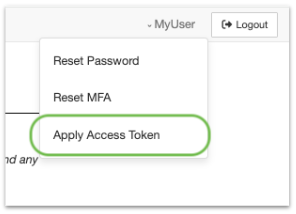
Link to apply token
After creating an OpenScienceLab user, and logging into the portal, access the actions menu by clicking your username in the upper right hand corner
Click the “Apply Access Token” link to go to the token application form
Enter provided token value and click Apply Token
If token is valid, you will immediately be granted access to the lab, and the lab will be available from the portal landing page.
Why did the kernel die while running a notebook?
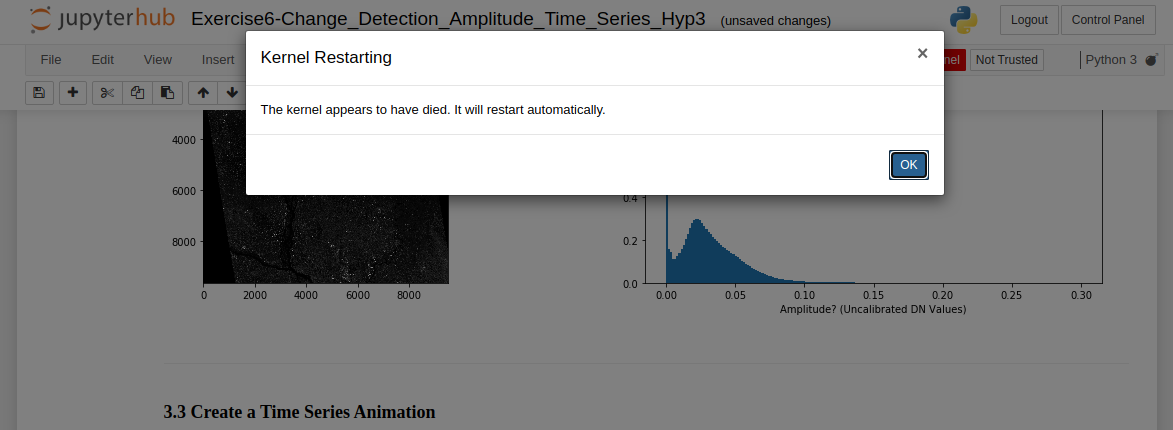
The message that appears when a notebook kernel dies
The kernel will die if you run out of available memory to complete a running process. This occurs frequently when running a time-series or change detection algorithm on data stack that is either too deep or covers too large of an area-of-interest (AOI) for OpenSARLab to handle.
Try running the notebook on some combination of a shallower data stack and/or a smaller AOI. This may take some experimentation because memory is shared among users, i.e. amount of available memory fluctuates.
To work with a deep stack covering an extensive AOI, you may need to tile up your data for the analysis and mosaic them later.
Summary: If you are running a resource hungry program, your kernel might die. Try subsetting your data, processing it in batches, and mosaicing your results.
I successfully ran a notebook earlier on the same data but now it is killing the kernel.
OpenSARLab EC2 instances are shared among 1~3 users. The memory available to each user depends on overall activity on the EC2. It is likely that there was enough memory available for your process before, but not enough memory during later attempt(s). More details on the OpenSARLab user environment can be found here.
I receive a Kernel not found message when I open a notebook.
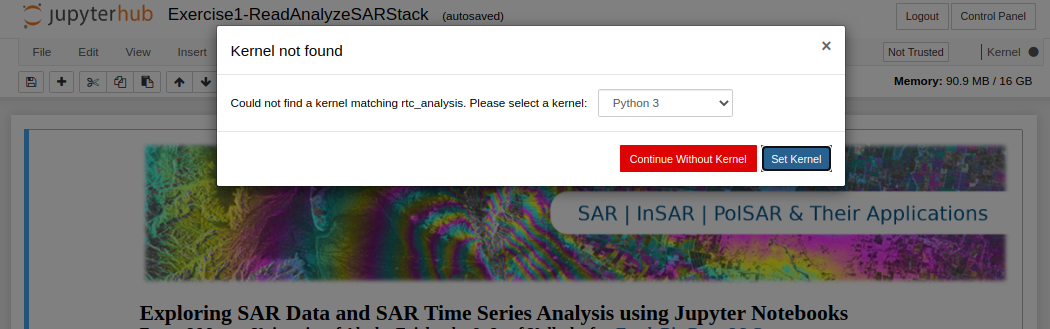
The message that appears when an expected notebook kernel cannot be found
You either have:
Not created the required conda environment yet
A mix-up between the environment name and prefix
If you think you already installed the environment, select it from the pull-down menu that appears and click the
Set Kernelbutton.If you have not created the environment yet:
In OpenSARLab, you can find a selection of environments and a notebook to build them here:
/home/jovyan/conda_environments/Create_OSL_Conda_Environments.ipynbIf you are working in an ASF-supplied Jupyter Book, it should include a notebook to build the required environment/s
My notebook won’t open, opens slowly, or won’t save.
These are all signs that the notebook contains a lot of output and is too large to easily open or save over the internet in OpenSARLab.
If the notebook won’t open or opens very slowly, remove its output by running the following command from a terminal:
jupyter nbconvert --clear-output --inplace my_notebook.ipynb
If the notebook is open and you can’t save it, try clearing its output first.
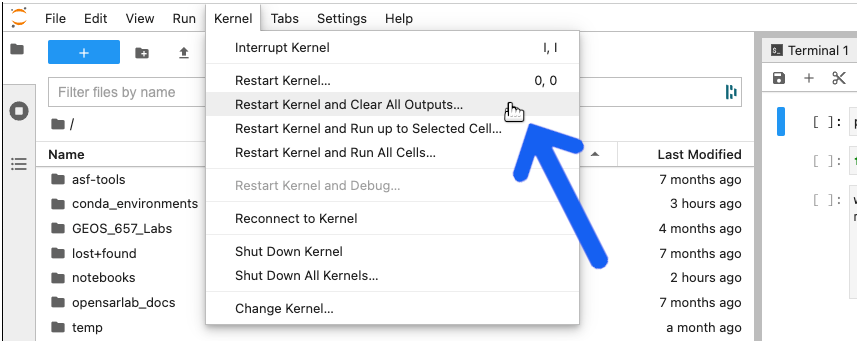
Select Restart Kernel and Clear All Outputs from the Kernel menu and try saving it again.
My notebook is formatted incorrectly, missing widgets, or won’t let me add new cells.
In some cases, notebook state can be corrupted. Refreshing the browser tab is sufficient to resolve some of these issues. After refreshing the page, it may be necessary to also re-run the broken code cell to fix the issue.
If your issue persists, please contact an OpenScienceLab administrator for help.
I am receiving a No space left on device error.
OpenScienceLab users have access to a finite amount of storage space (details here).
It is up to users to manage their storage.
If you receive a storage space warning while logged into OpenScienceLab, it is highly recommended to free up your space immediately by deleting unnecessary files. If your server shuts down without any available space, it will not have enough space on your volume to restart again and you will be locked out of your account.
If you do get locked out from your account, contact an OpenScienceLab administrator for help.
My server won’t start and I cannot access OpenScienceLab.
This issue is typically due to having used up all space on your storage volume.
Please contact an OpenScienceLab Administrator for help.
The edits I made to an ASF notebook have disappeared since the last time I used OpenSARlab.
When you update repositories using
nbgitpuller, if a change has been made to a notebook by both the user and the author, both changes will be saved. The author’s updated version will retain its original name while the user’s version will have a timestamp appended to its name. Read more about how gitpuller works in OpenSARLab here
If you think your notebook is missing, it is likely in its original location with a recent timestamp appended to its name.
One of my notebooks looks like it has a mix of code from various versions of the notebook.
We have seen this happen occasionally and it is caused by nbgitpuller. The best option is to delete the notebook and restart your OpenSARlab server. The notebook will be replaced with a fresh copy from its nbgitpuller-managed repository.
I am having trouble setting up a web server and developing my web app in OpenScienceLab.
This cannot be done in OpenScienceLab. You will need to do this elsewhere.
A notebook won’t load. A new browser tab opens and shows the JupyterHub header, but no notebook appears.
This is due to slow loading time caused by a large notebook.
If you run a notebook and close it without clearing all output from the code cells, the file size will increase. This may cause it to load very slowly, depending on a user’s network bandwidth.
A 40KB notebook can grow to over 60MB if you don’t clear its output.
Try clearing the notebook’s output before opening it by running the following command in the terminal:
jupyter nbconvert --clear-output --inplace my_notebook.ipynb
My issue is not on this list
Please contact an OpenScienceLab administrator for help.