Custom labs are created for specific uses, such as hosting a class or a research team working on a project.
Cloud Resources in Custom Labs
The resources provided in custom labs are based on the anticipated needs of a given user group and often differ from those provided in OpenSARLab. Requests for changes to compute and storage resources must be approved by the owner of a custom lab. This is typically a professor, workshop host, or PI on a grant-funded project.
Custom Lab Access
Access to all custom labs is determined by the owner of each lab. Professors, instructors, or PIs should provide instructions for accessing a custom lab. Access will require an OpenScienceLab account.
Lab Access Tokens
Lab instructions may provide an easy access token.
To apply the token, activate the actions menu by clicking your username in the upper right hand corner:
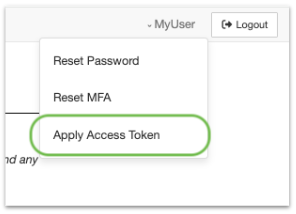
Click the “Apply Access Token” link to go to the token application form
Enter provided token value and click Apply Token
If token is valid, you will immediately be granted access to the lab
Once a user’s OpenScienceLab account has been given access to a lab, a lab access card will appear in the OpenScienceLab portal after signing in.
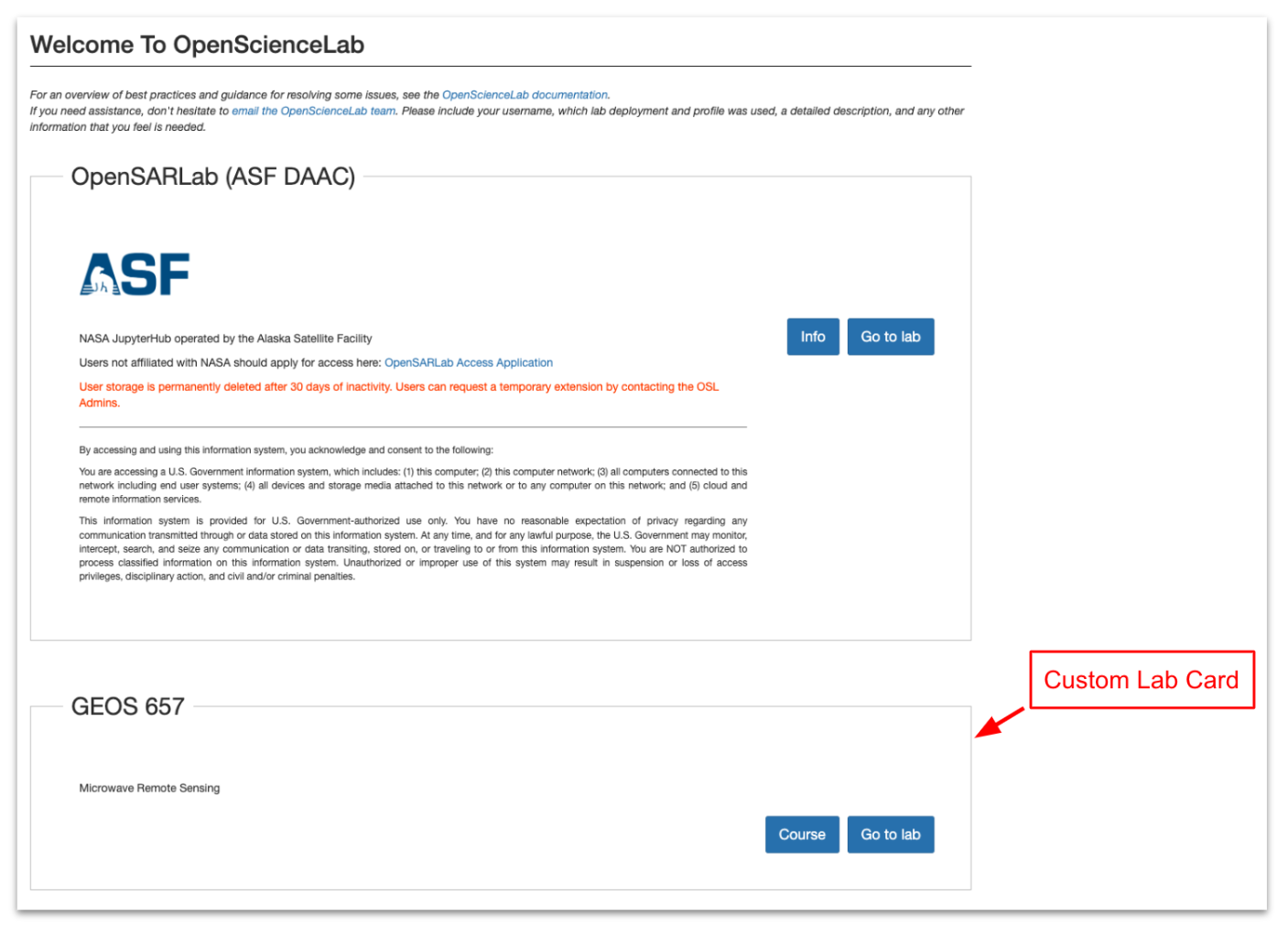
OpenScienceLab with custom lab card